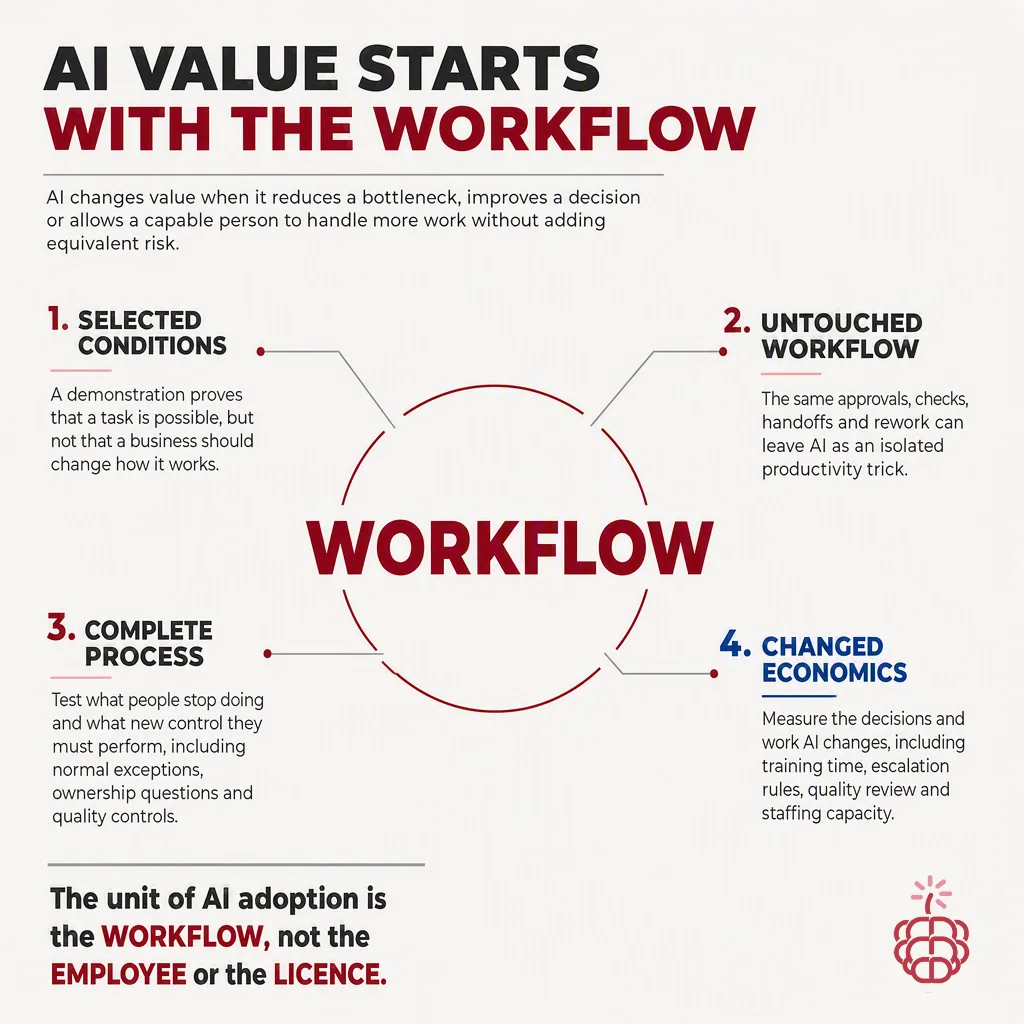
AI value starts with the workflow because measurable results come from improving real, repeated work, not from showing what a model can do in a controlled demo.
A strong AI demo can summarize a document, draft an email, or answer a question in seconds. That is useful, but it does not automatically reduce cycle time, improve service levels, or remove manual effort across a team.
The difference is operational context. A production AI agent needs the right trigger, trusted business data, clear permissions, human review where needed, and a defined next action. That is why the best AI opportunities begin with a workflow map, not a prompt library.
Why do AI demos rarely translate directly into business value?
Demos are designed to show a best-case interaction. Workflows must handle everyday reality: incomplete requests, conflicting data, approvals, exceptions, security rules, and handoffs between people.
For example, an AI assistant that drafts a customer response may look impressive in a demo. In production, the team also needs to know:
- Where the customer request arrives
- Which account, product, and support data the agent can access
- Which responses require approval
- How the draft gets assigned, reviewed, and sent
- How the result is recorded in the system of record
- What happens when the agent is uncertain or missing information
If these steps remain manual, the organization may save a few minutes per interaction without changing the overall process. If the agent is connected to the full workflow, it can reduce repetitive work at the point where it occurs.
What makes a workflow a strong AI candidate?
The strongest first AI workflows are frequent, structured enough to guide the agent, and costly when handled manually. They also have outcomes the business can measure.
Look for workflows with these characteristics:
- High volume, such as dozens or hundreds of requests each week
- Repetitive steps, including triage, data lookup, summarization, classification, or drafting
- Clear source systems, such as Outlook, Teams, SharePoint, Dynamics 365, or an internal knowledge base
- Defined decisions and approval rules
- A measurable baseline, such as response time, backlog, completion rate, or handling time
- A manageable risk level, with a human able to review exceptions
A useful starting point is one workflow where employees spend 5 to 15 minutes on a repeatable task. At 100 requests per month, saving 10 minutes per request returns more than 16 hours of capacity monthly. The exact value depends on labor cost, volume, quality improvements, and whether the saved time can be redirected to higher-value work.
Which workflows should teams prioritize first?
Prioritize workflows where AI can take a clear action inside the Microsoft tools employees already use. This reduces context switching and makes adoption easier.
Common first use cases include:
| Workflow | What an AI agent can do | Useful metric |
|---|---|---|
| Shared inbox triage | Classify requests, extract key details, route items, and prepare response drafts | First-response time, backlog |
| Sales meeting follow-up | Summarize meetings, identify commitments, draft follow-ups, and update CRM records | Follow-up completion rate |
| Employee service requests | Answer policy questions, collect missing information, and route requests to the right team | Resolution time, deflection rate |
| Document review | Extract fields, compare documents against rules, and flag exceptions | Review time, exception accuracy |
| Project status reporting | Gather updates from Teams, meetings, and documents, then create a status draft | Reporting time, on-time updates |
The goal is not to automate every task at once. Start with one workflow, measure it, improve it, and then extend the pattern to adjacent processes.
How do you map a workflow before adding AI?
A practical workflow map can fit on one page. It should describe what happens today before anyone decides what the AI should do.
Document six elements:
- Trigger: What starts the workflow? For example, a new email in a shared inbox or a form submission.
- Inputs: What information is needed to complete the work? Include files, messages, CRM data, policies, and prior cases.
- Steps: What does a person do today, in order?
- Decisions: Which rules determine the next action, and which decisions require judgment?
- Outputs: What must be created, updated, sent, or approved?
- Measures: How will the team know the workflow improved?
This exercise often reveals that the most valuable AI role is not generating text. It may be extracting information, checking completeness, routing work, preparing a briefing, or prompting a human at the right time.
Where should AI fit in a Microsoft-based workflow?
AI adoption is easier when the agent works where employees already communicate and collaborate. For many organizations, that means Microsoft Teams, Outlook, SharePoint, Microsoft 365, and business systems connected through approved integrations.
For example, a service workflow can begin when an email reaches a shared Outlook mailbox. An AI agent can identify the request type, retrieve relevant knowledge from SharePoint, create a draft response, and post an approval request in Teams. Once approved, the agent can update the case record and notify the requester.
That is materially different from asking employees to copy an email into a separate AI tool, paste the answer back, and manually update multiple systems. The latter may improve an individual task. The former improves the workflow.
saasberry puts AI agents into production inside the Microsoft tools teams already use, helping organizations connect agents to the data, people, and actions required for real operational work.
How should teams measure AI workflow value?
Measure workflow outcomes, not just model activity. A high number of generated drafts does not prove that a process improved.
Establish a baseline before launch, then track a small set of metrics for at least several weeks. Good measures include:
- Average handling time per request
- Time to first response
- Total backlog and backlog age
- Percentage of requests completed without rework
- Escalation rate
- Approval rate for AI-generated drafts
- Employee time reclaimed
- Customer or employee satisfaction
Use both efficiency and quality measures. If an agent cuts handling time by 30 percent but creates more corrections, the workflow has not truly improved.
A simple value calculation is:
Monthly value = requests per month × minutes saved per request × fully loaded cost per minute
This calculation should be paired with quality improvements and avoided costs, such as fewer missed service-level targets or fewer hours spent compiling status reports.
Why does human review still matter?
Human review is a workflow design choice, not a sign that the AI failed. In many business processes, the right model is human-in-the-loop automation.
An agent can handle preparation work, retrieve information, classify requests, and propose an action. A person can approve high-impact decisions, correct exceptions, and provide feedback that improves the process over time.
Define escalation rules upfront. For example, require approval when a response includes legal, financial, HR, or customer commitment language. Route low-confidence cases to a specialist. Allow automatic completion only for narrow, low-risk actions with reliable inputs.
This approach helps teams move faster without giving up accountability.
What does a practical rollout look like?
A focused rollout usually starts with a single workflow and a small user group. Avoid trying to solve every department's needs in the first project.
A practical sequence is:
- Select one high-volume workflow with a measurable baseline.
- Map the current process, systems, decisions, and exceptions.
- Define the AI agent's specific role and its approval boundaries.
- Connect approved data sources and Microsoft tools.
- Test with representative cases, including edge cases and incomplete requests.
- Launch with a pilot group and monitor outcomes weekly.
- Improve prompts, rules, knowledge sources, and routing based on real usage.
- Expand only after the workflow produces consistent value.
The first deployment should create a reusable operating model for governance, access control, monitoring, and measurement. That foundation makes the second and third workflow faster to implement.
What should leaders ask before approving an AI project?
Leaders can quickly distinguish a demo-led initiative from a workflow-led initiative by asking a few direct questions:
- Which workflow will change, and who owns it?
- How often does the workflow occur today?
- What does the team do manually at each step?
- Which data and systems must the agent access?
- What can the agent do automatically, and what requires approval?
- Which metric will improve, and what is the current baseline?
- How will exceptions, errors, and feedback be handled?
- Who is responsible for monitoring results after launch?
If the team cannot answer these questions, the project may still be at the exploration stage. That is fine, but it is not yet a production value case.
FAQ
What is the difference between an AI demo and an AI workflow?
An AI demo shows a capability in a controlled interaction. An AI workflow connects that capability to real triggers, business data, approvals, systems, and measurable outcomes.
How do we choose the first AI workflow to automate?
Choose a frequent, repetitive process with clear inputs, a known pain point, manageable risk, and a metric such as handling time, backlog, or response time.
Can AI agents work inside Microsoft Teams and Outlook?
Yes. AI agents can support workflows that begin in Teams or Outlook and use approved connections to Microsoft 365 content, SharePoint, business applications, and other systems.
Should every AI-generated action require human approval?
No. Approval should match risk. Low-risk, well-defined actions can be automated, while sensitive, complex, or low-confidence cases should be routed to a person for review.